Why character drift destroys episodic drama
When viewers watch a drama, they connect with the characters' faces, expressions, and emotions. In AI video generation, the biggest obstacle has always been character drift—where an actress has brown wavy hair in Scene 1, but straight black hair or a different face in Scene 2.
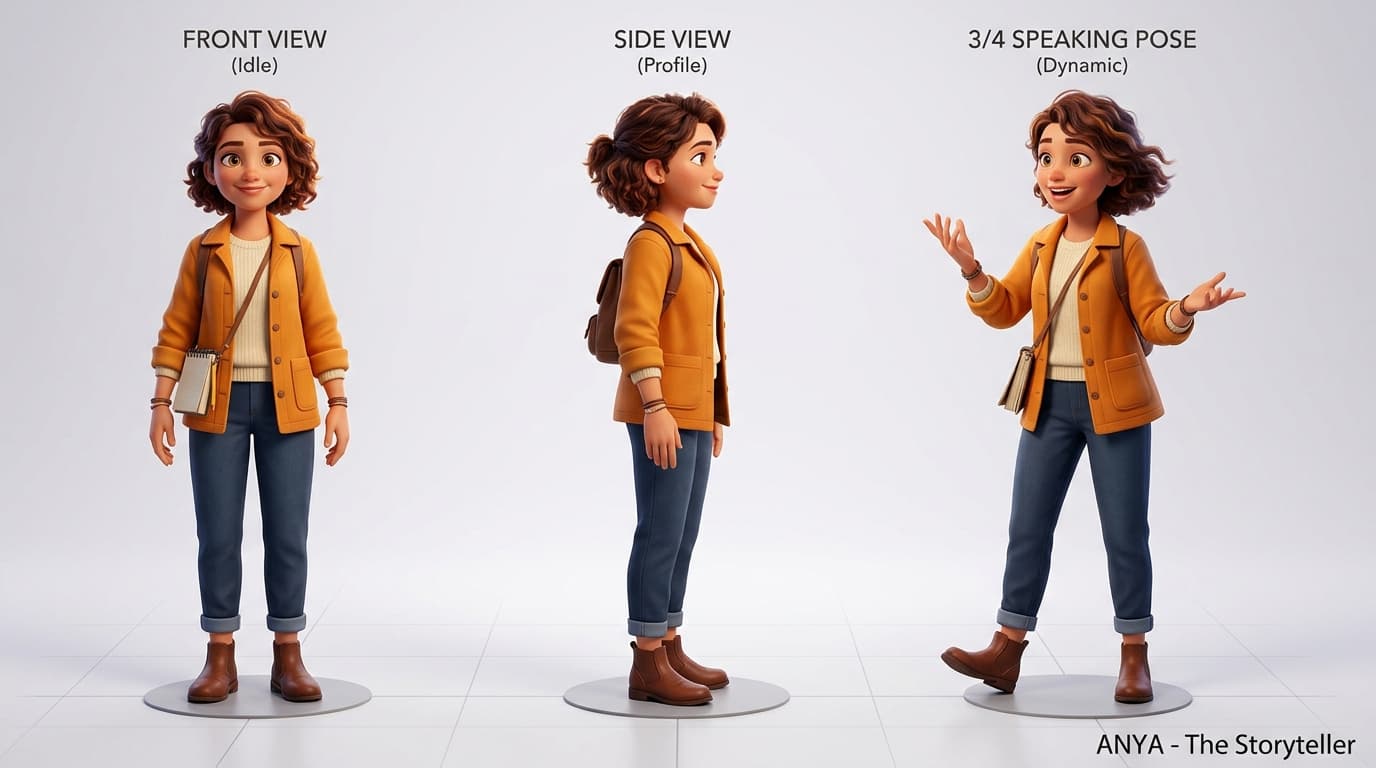
Treating character consistency as an editorial discipline rather than a lucky roll of the dice is the key to creating compelling episodic mini-series. You need a dedicated turnaround reference and a strict separation between actor traits and scene actions.
- •Always lock 3 reference angles: front-facing portrait, 3/4 speaking angle, and side profile.
- •Keep wardrobe descriptors identical: specify fabric, color, collars, and signature accessories.
- •Never change more than one visual variable (camera or action) in a single take.
The 5-beat dramatic episode formula
Short-form dramas for TikTok and YouTube Shorts succeed when every 45-to-60-second episode follows a tight 5-beat structure: Setup, Disruption, Turning Point, Climax, and the Cliffhanger.
In the Setup beat (0-5s), introduce the protagonist in their normal environment. Disruption (5-15s) presents an unexpected conflict—a knocking door, a dropped document, a shocking text. The Turning Point (15-30s) forces a tough decision. The Climax (30-45s) escalates the tension to a peak, and the Cliffhanger (45-50s) cuts to black right before the revelation.
Separating identity from emotional shot direction
Inside BEErector Movie Director, build each shot prompt in two modular segments. The first segment defines permanent actor identity: 'Elena Vance, sleek dark hair in a low bun, charcoal wool coat with silver clasp (approved turnaround reference attached)'.
The second segment specifies the dynamic camera and emotional action: 'Slow push-in medium close-up. She reads the handwritten letter, her hands trembling, eyes widening in disbelief. Dim tungsten study lighting casting deep dramatic shadows.' Because the identity block never changes, the visual model stays anchored while accurately rendering the emotion.
Directing with the BEErector Flow Assistant
Once your 5-scene beat sheet is drafted in BEErector, open Google Flow in your browser with the BEErector Chrome extension active. Your scene cards appear in a convenient side drawer.
Click to copy the production-ready prompt, attach the pre-saved character turnaround image, and generate. If take 1 drifts slightly, adjust camera movement from dynamic tracking to a slow push-in, which gives the generator less room for spatial errors.
- •Review adjacent scenes side-by-side on your timeline before finalizing dialogue.
- •Burn high-contrast subtitles into the safe zone to ensure dialogue is readable without sound.
- •Use dramatic ambient pauses to let key emotional revelations breathe.